Agents build your backlog. You approve the plan and the merge.

Duun is a software factory for engineering teams. Agents pick up issues from Linear, GitHub and Sentry, plan the change, write and test the code in isolated sandboxes, and open the pull request. You decide where a person signs off, and every run stays inside the budget you set.

See how it works
  1. Issue PLT-482 in Linear
  2. Plan Approved by you
  3. Build 9 files, in a sandbox
  4. Test 18 of 18 checks
  5. Review Approved by you
  6. Merged Pull request #1288

See Duun in action

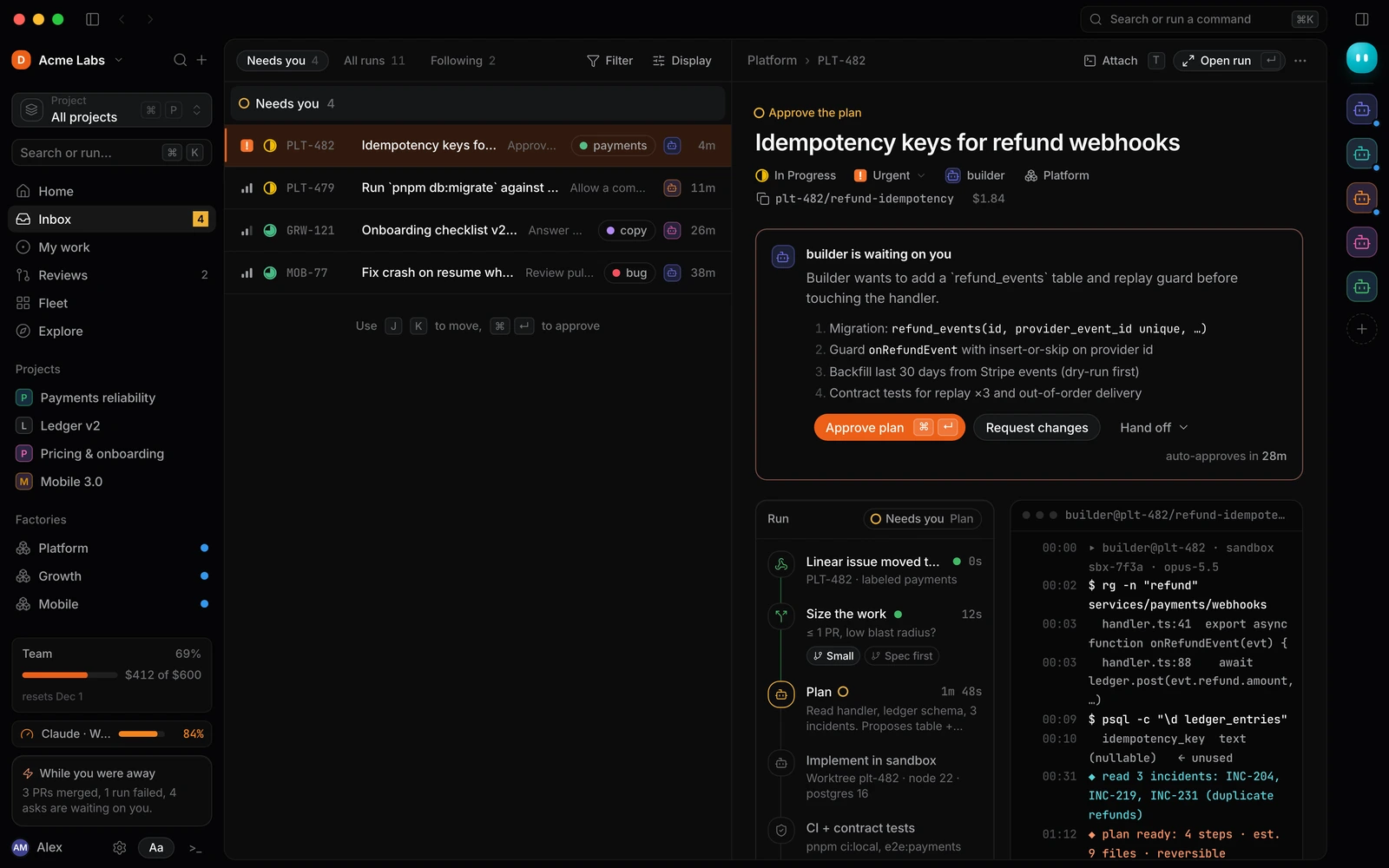
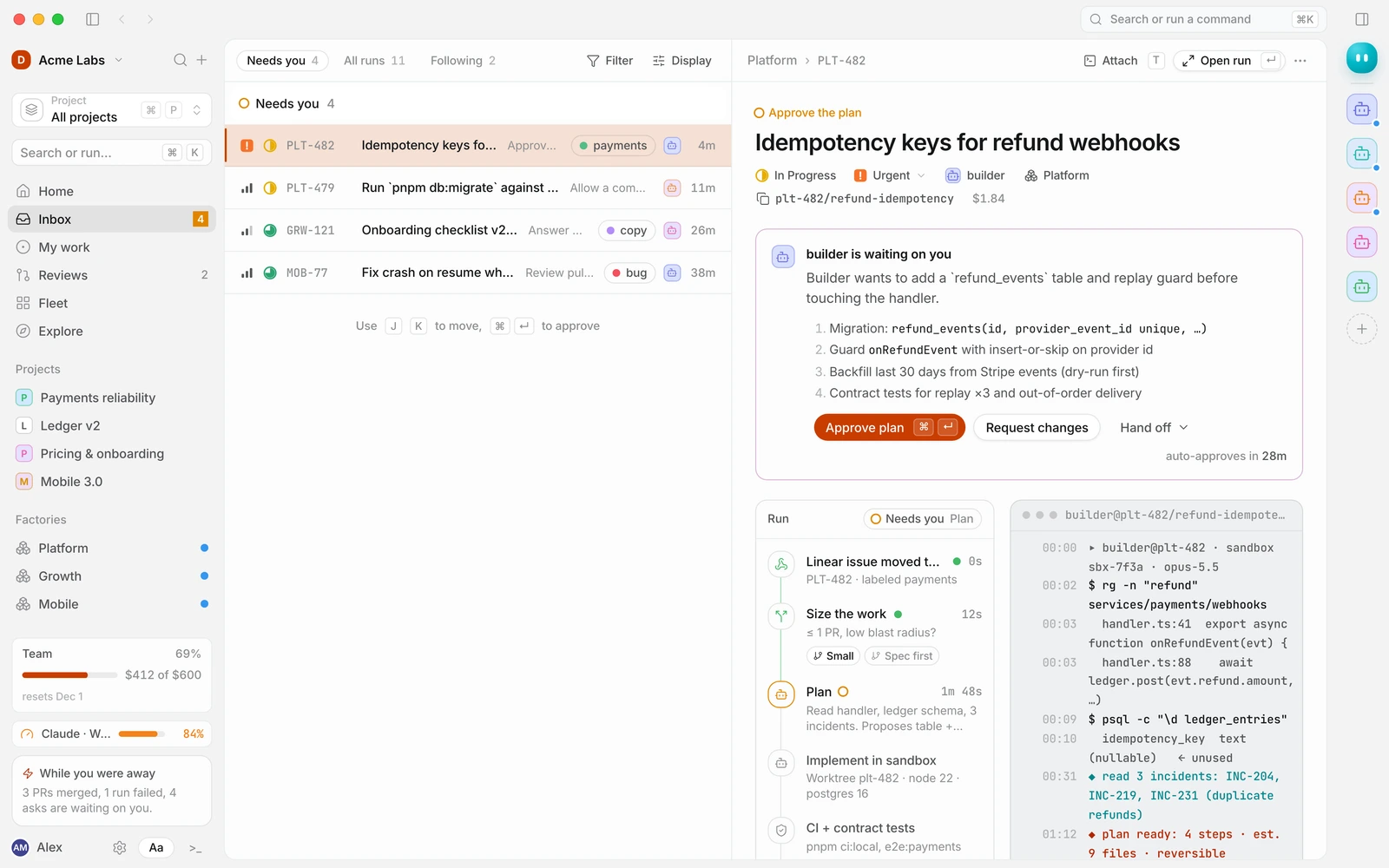
The Duun Inbox: agent asks waiting for a decision, with a builder's plan open for approval The Duun Inbox: agent asks waiting for a decision, with a builder's plan open for approval

Product tour

Duun Inbox with four asks waiting. The selected ask shows the builder agent's plan for PLT-482 with Approve plan and Request changes buttons. Duun Inbox with four asks waiting. The selected ask shows the builder agent's plan for PLT-482 with Approve plan and Request changes buttons.
Inbox Everything that needs a person, ranked. Here a builder agent wants to add a refund_events table and asks you to approve its four-step plan before it touches the handler.

Step 1 of 4

Works with the tools your team already uses

59 integrations across code, planning, chat and monitoring, plus any MCP server you run.

Logos identify integrations and are trademarks of their owners.

Ship more without handing over control

Duun takes the repetitive path from issue to pull request, so your engineers spend their time on design, review and the problems only they can solve.

Ship more without growing the team

A factory is a workflow your team owns. It takes Ready issues through plan, build, test and review, with builder, tester and operator agents working in parallel, each in its own worktree or cloud computer.

How factories work
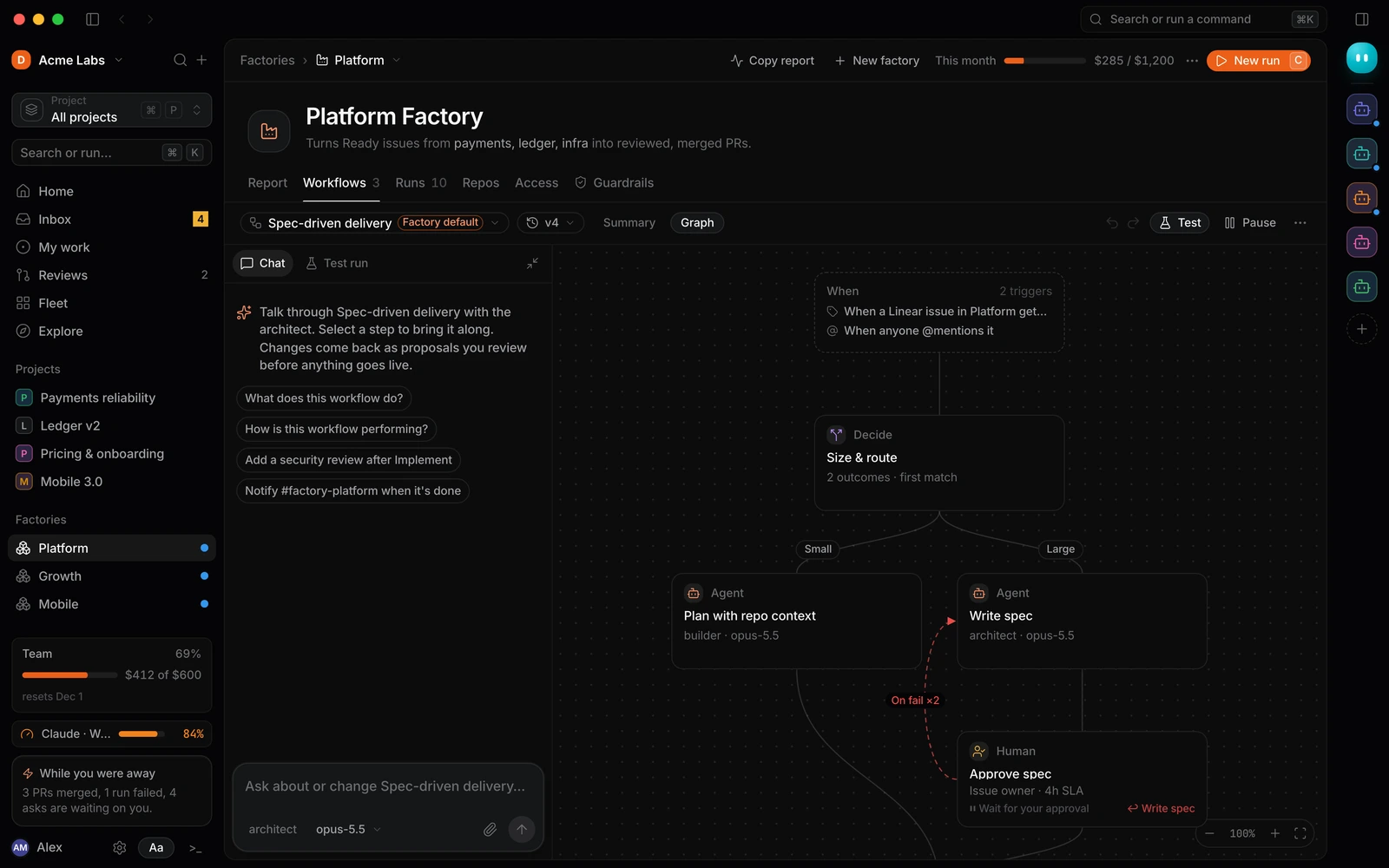
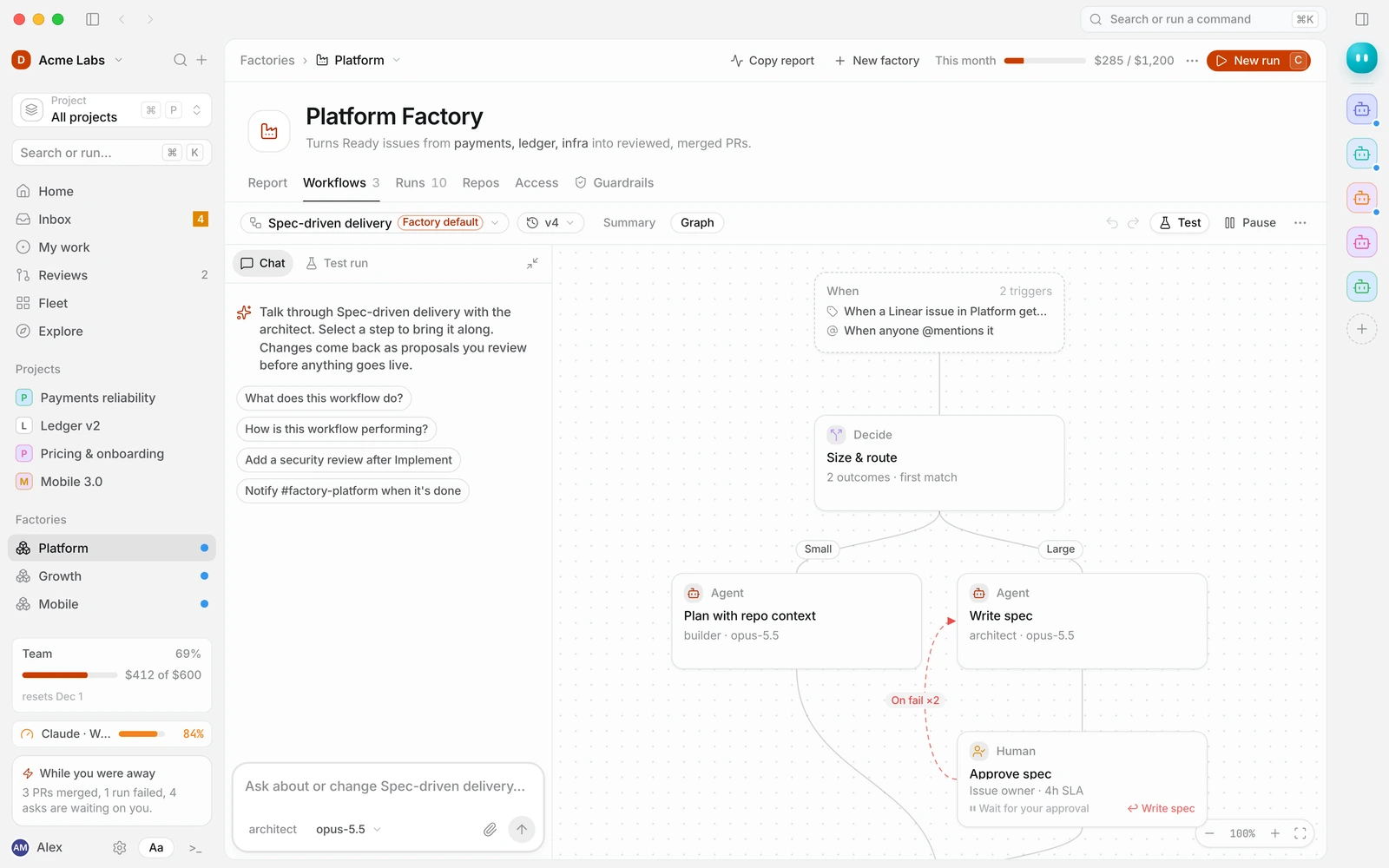
A factory workflow graph: a Linear trigger, a Size and route decision, then agent steps for planning and writing a spec A factory workflow graph: a Linear trigger, a Size and route decision, then agent steps for planning and writing a spec

Stay in control of every change

Choose the steps that wait for a person: approve the plan, allow a risky command, review the pull request. Guardrails limit the commands and domains agents can use, and budgets pause a run before it overspends.

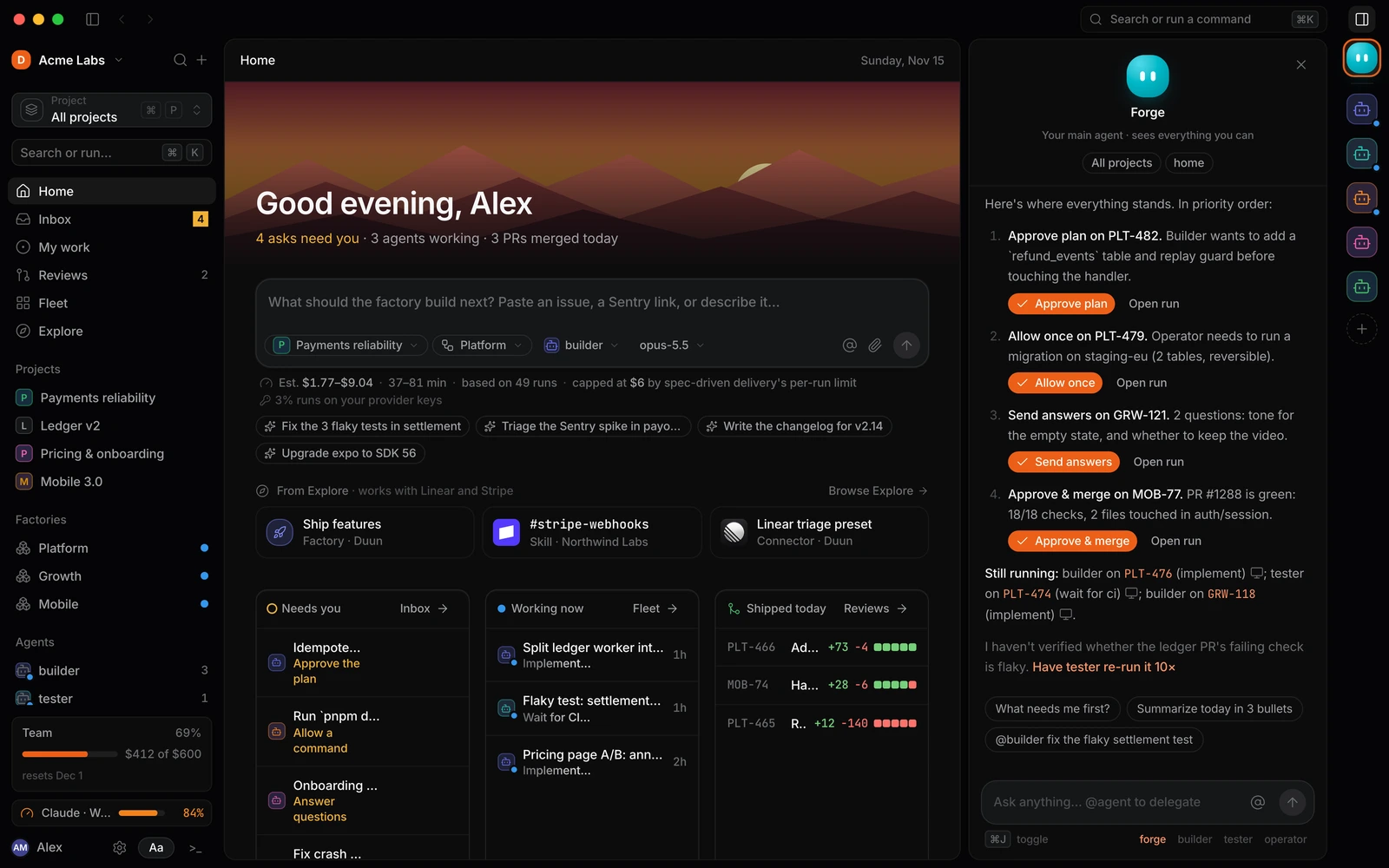
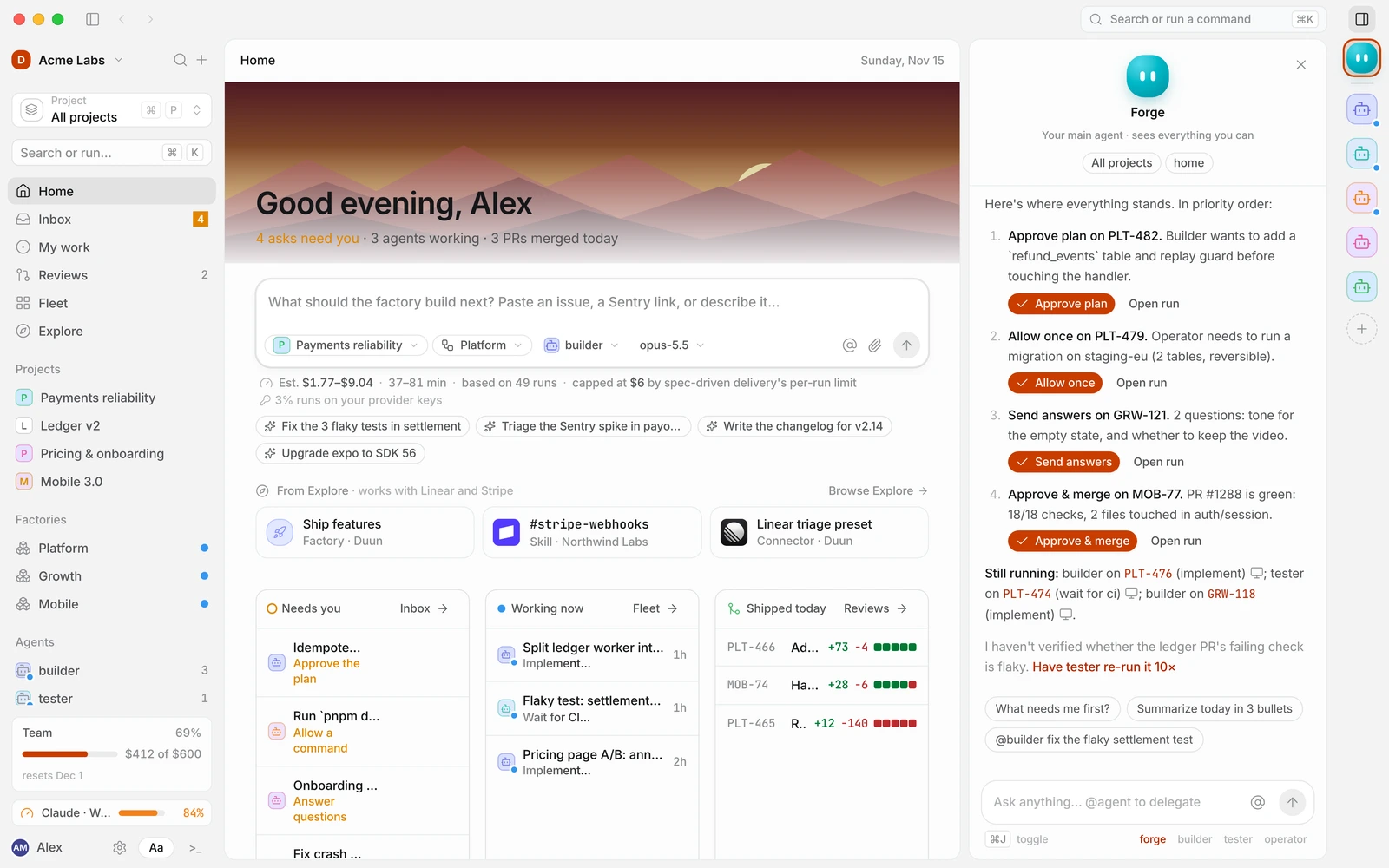
Duun's main agent listing what needs you in priority order, each with one button: Approve plan, Allow once, Send answers Duun's main agent listing what needs you in priority order, each with one button: Approve plan, Allow once, Send answers

Runs start and finish where the work is

A Linear or GitHub issue, a Sentry alert, a Slack message or a slash command starts a run. The results come back as pull requests, issue comments and Slack threads.

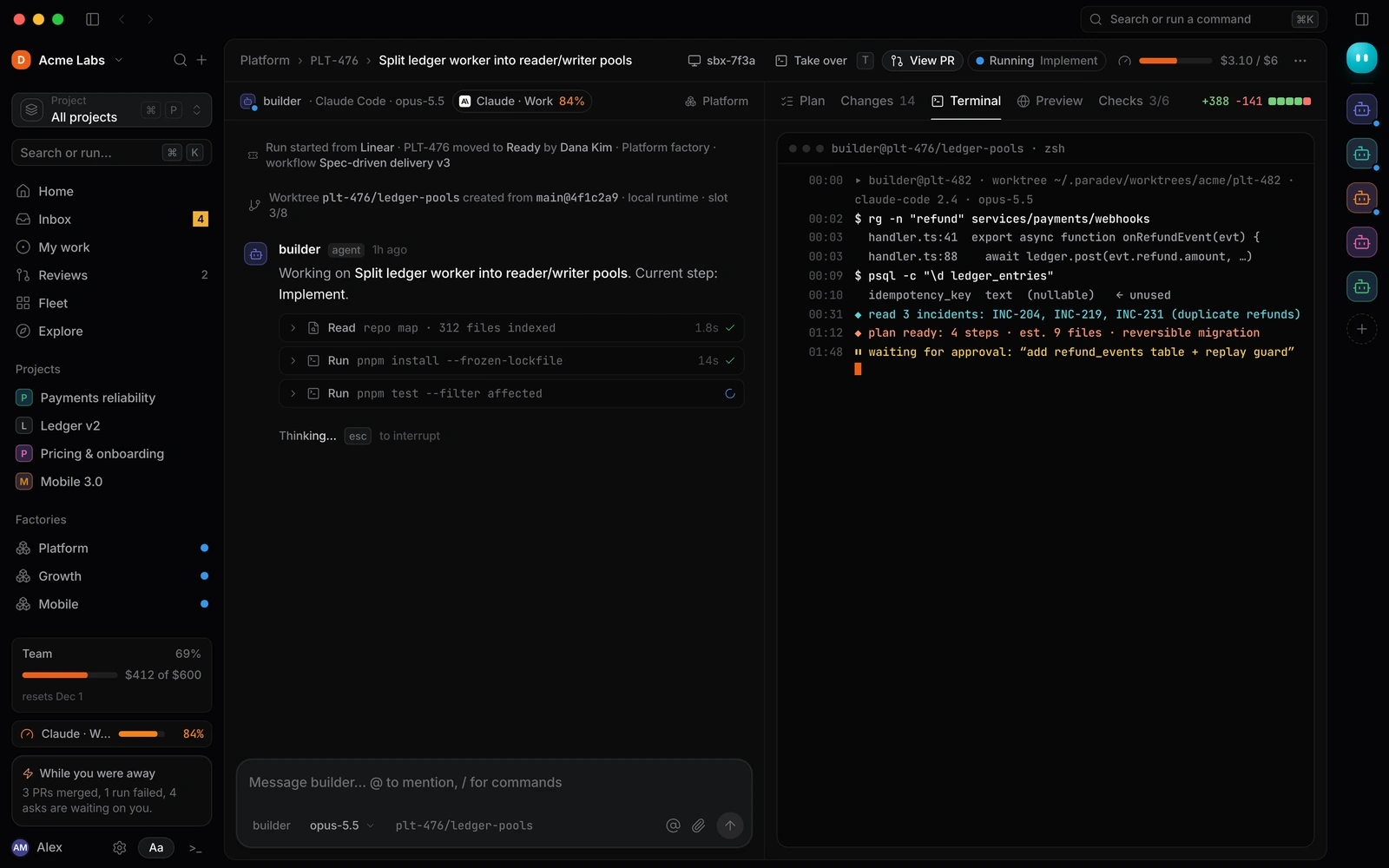
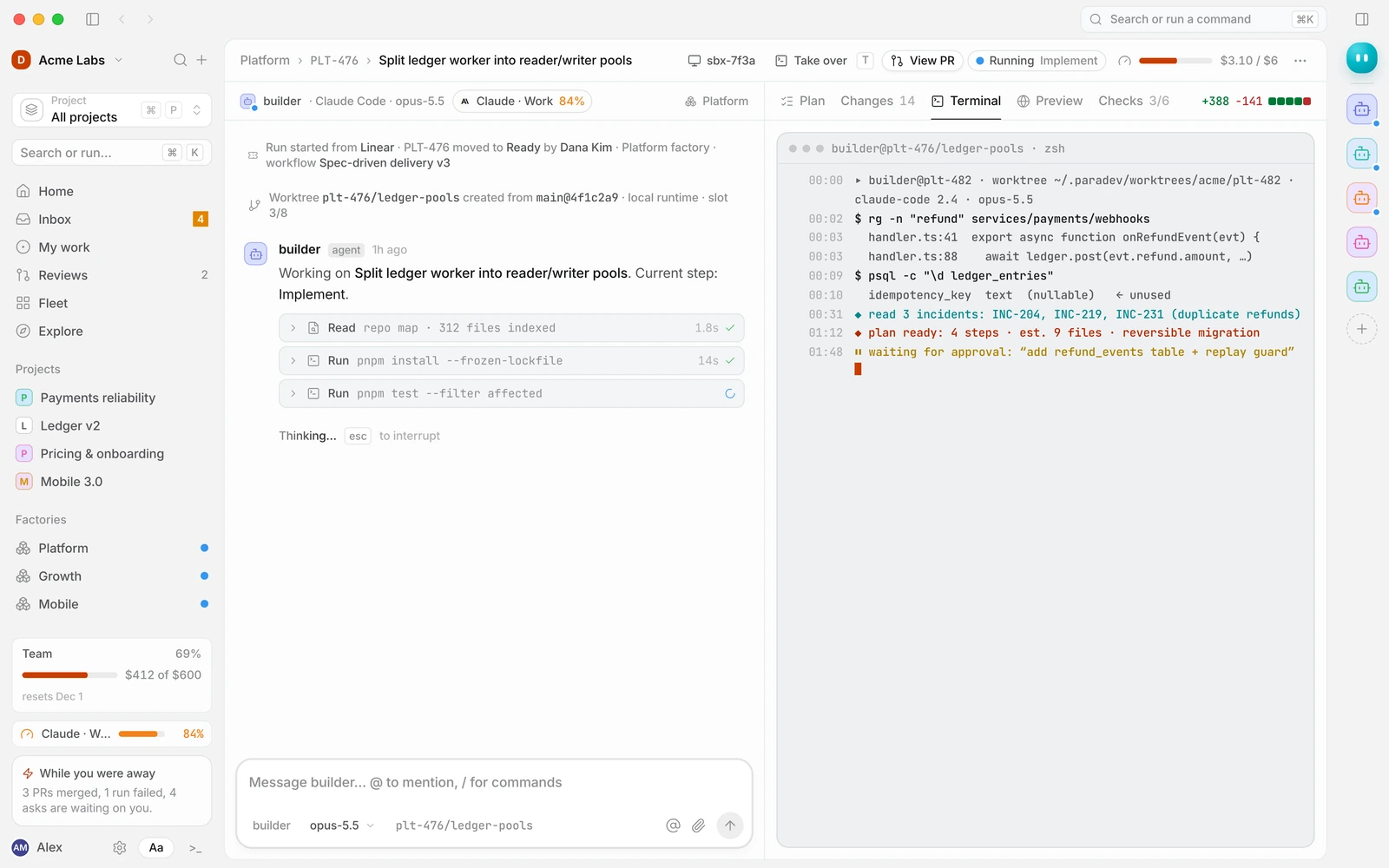
A run's timeline: started from Linear when PLT-476 moved to Ready, a worktree created, and the builder agent working through its steps A run's timeline: started from Linear when PLT-476 moved to Ready, a worktree created, and the builder agent working through its steps

See what every agent is doing

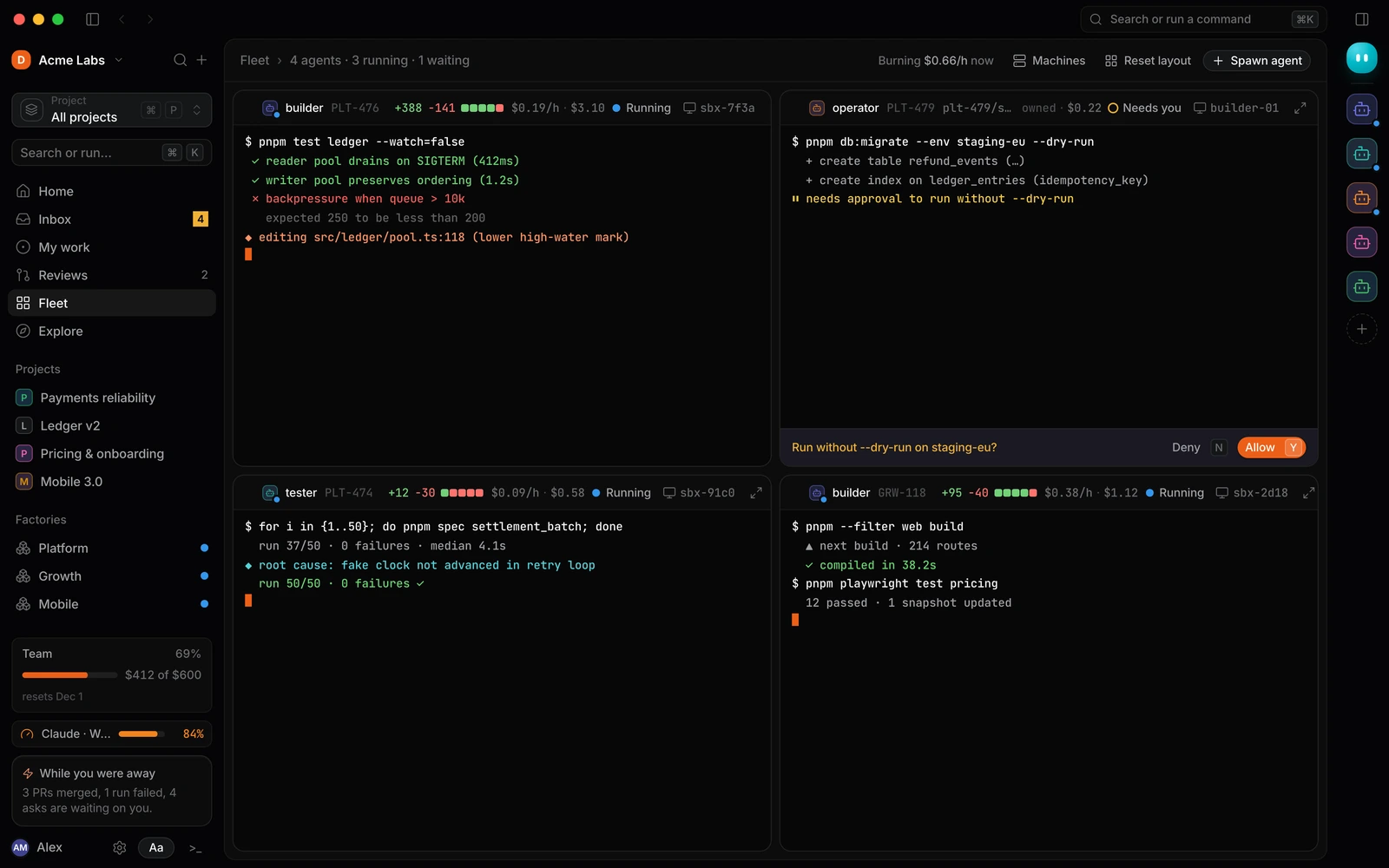
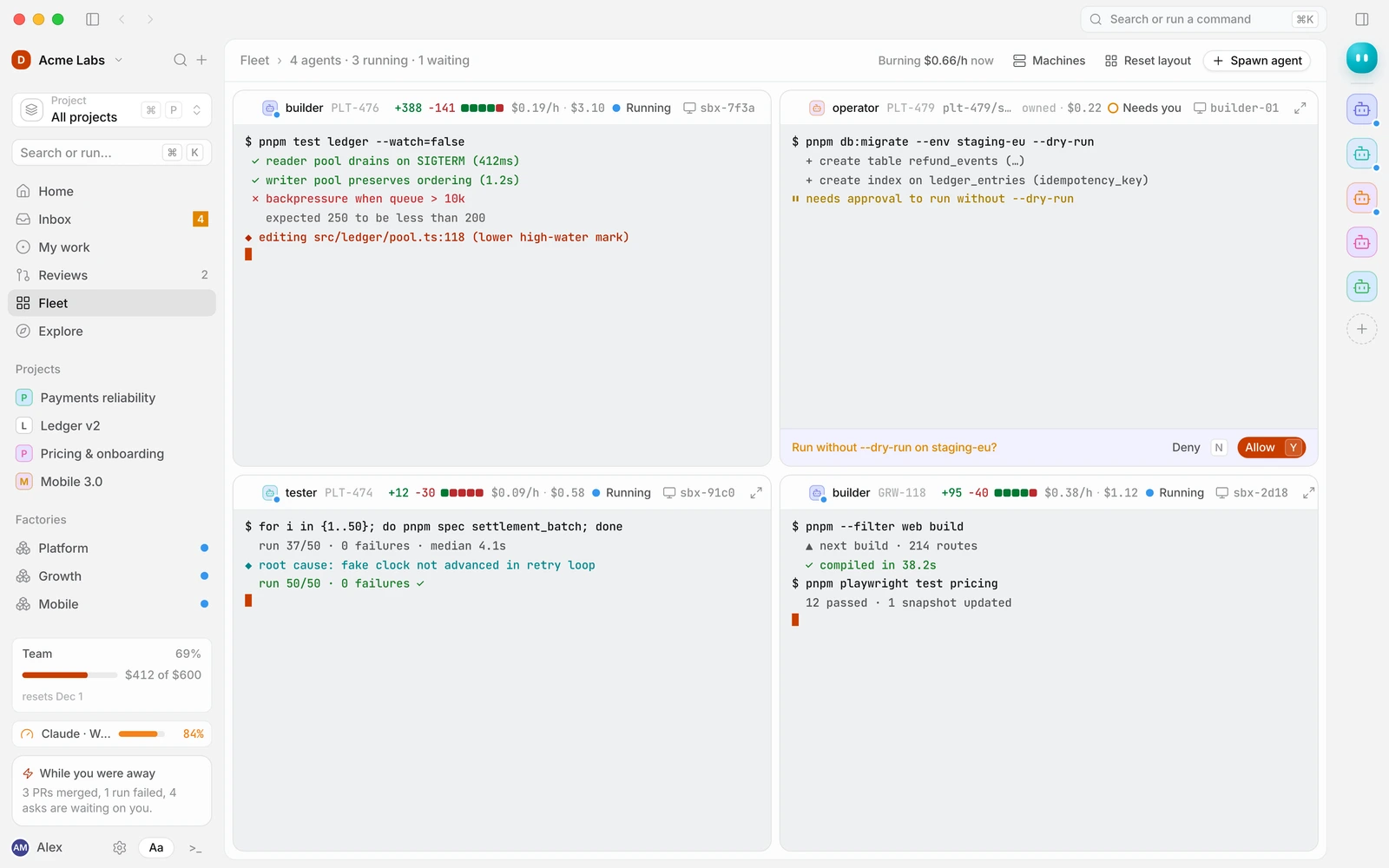
The Inbox ranks everything waiting on you, so ten decisions take ten keystrokes. Fleet puts live agent terminals side by side, and every run shows what it has cost so far.

Fleet: four agent terminals side by side, each showing its issue, cost so far and status, one waiting on an Allow or Deny decision Fleet: four agent terminals side by side, each showing its issue, cost so far and status, one waiting on an Allow or Deny decision

From issue to merged pull request in four steps

Set it up once. After that you step in only where you chose to. Read the getting started guide

  1. Step 1: Connect your tools

    Connect GitHub, then Linear, Sentry and Slack. Each integration asks only for the scopes your workflows need.

  2. Step 2: Pick a factory, or build one

    Start from an Explore template such as Ship features or Linear triage, or describe the workflow you want and the architect agent proposes the change to the graph.

  3. Step 3: Agents plan, build and test

    When an issue is Ready, a builder reads the code and proposes a plan, implements it in an isolated sandbox, and a tester runs your checks until they pass.

  4. Step 4: You approve and merge

    Review the plan and the pull request from your Inbox. Approve with ⌘↵, request changes, or take over the terminal yourself.

Questions teams ask

Can't find your answer? Browse the help center, read the docs, or email [email protected].

What is an AI software factory?

A factory is a workflow your team owns that turns issues into merged pull requests. It sets what starts a run (for example, a Linear issue moving to Ready), which agent does each step, where a person has to approve, and the limits on cost and time. Factories are versioned, so you can test a change on a real issue before it goes live.

Read about factories in the docs

Which AI models and coding agents does Duun use?

Agents run on coding runtimes your engineers already know, including Claude Code, Codex CLI and Gemini CLI, with models from Anthropic, OpenAI and Google. You choose the runtime, model and effort for each agent, and each factory can set its own defaults.

Is our code safe? Is it used to train models?

Every run works in its own git worktree or sandbox, and commands outside a factory's allow list wait for a person's approval. API keys are stored encrypted and are never shown to agents in plain text. Duun doesn't build its own models: your code goes only to the model provider you choose, under that provider's API terms.

How we approach security

How much does Duun cost?

Pricing isn't announced yet; we'll publish it before general availability. Model usage can bill to your own provider accounts, and budgets on every factory and run pause work before it overspends.

Can we bring our own API keys or run agents on our own machines?

Yes. Add your Anthropic, OpenAI or Google keys and model usage bills to your provider account. Agents can run in local worktrees, on computers you connect over SSH, or in cloud sandboxes. A fully self-hosted deployment isn't available yet; if you need one, tell us when you request access.

Which tools does Duun integrate with?

59 integrations across code and deploy (GitHub, Bitbucket, Azure DevOps, Vercel), planning and docs (Linear, Atlassian, Notion, Figma), chat (Slack), monitoring (Sentry, Datadog, PagerDuty) and more, plus any MCP server. Each connection can be scoped to you, your team, one project or the whole workspace.

Browse integrations in the help center

How do human approvals work?

You decide where a factory stops for a person. Agents send asks to your Inbox: approve a plan, allow a command, answer a question or review a pull request. You can approve with one keystroke, let low-risk asks auto-approve after a set time, and runs pause on their own when they reach a budget limit.

How is Duun different from an AI coding assistant?

A coding assistant helps one engineer inside an editor. Duun runs your team's process from issue to merged pull request: several agents work in parallel in their own sandboxes, follow the steps you define, and bring people in only for decisions. Your engineers can keep using their assistant alongside it.

Can agents follow our team's conventions?

Yes. Skills package your team's know-how, such as how to write a migration or cut a release, and slash commands turn common jobs into one line, like /triage or /changelog. Share them with your team or the whole workspace, and add ready-made ones from Explore.

How do we get access?

Request early access with your work email. We're onboarding engineering teams in small batches and will email you when your workspace is ready.

Point Duun at your backlog

We're onboarding engineering teams in small batches. Leave your work email and we'll invite you when your workspace is ready.

Want to look around first? Read the docs or follow along on the blog.

    Type to search the docs, help center and blog.